Coach guide
Your team, set up in 10 minutes
Everything a coach and the stat table need, step by step, with the real screens. Scoring and stats for every wrestler, a scorer you assign, and every team match in one place.
Start your team and add the roster
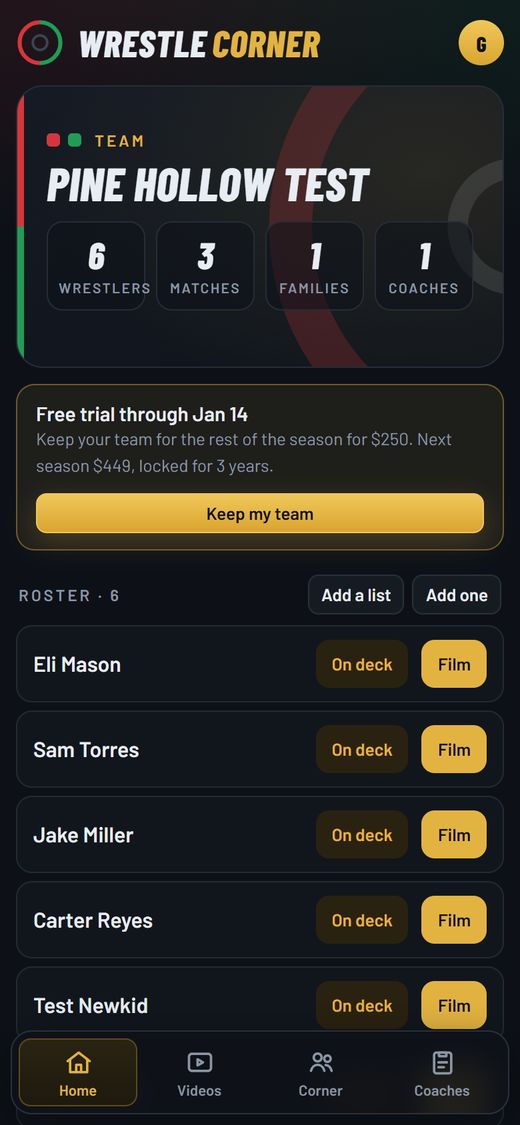
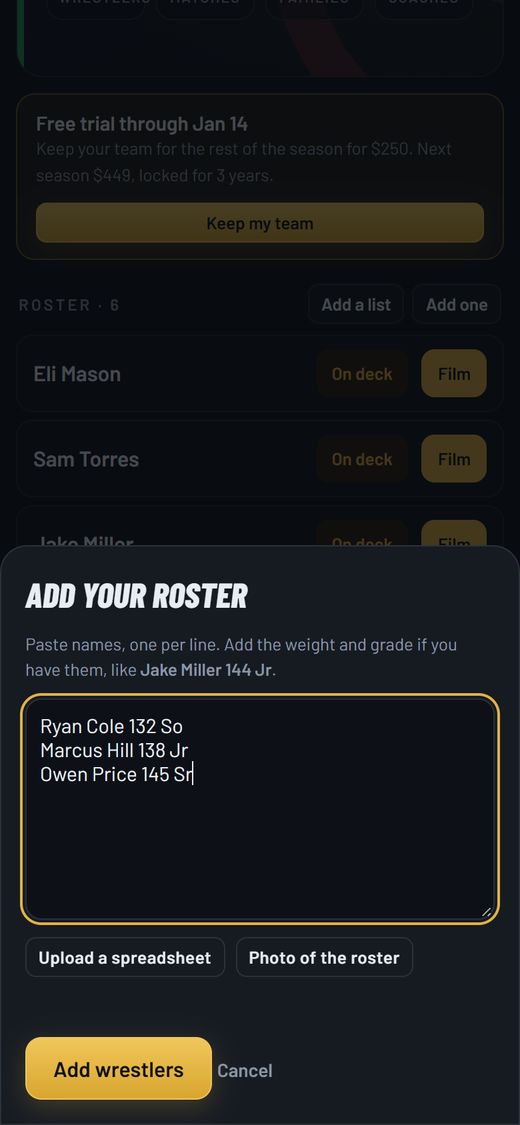
Tap Start my free month, name your team, and add your wrestlers with Add a list. Three ways, use whichever is fastest:
- Paste the names, one per line. Add the weight and grade if you have them, like Jake Miller 144 Jr.
- Upload a spreadsheet you already keep.
- Take a photo of the roster, printed or on the whiteboard. Every name fills in for you to check.
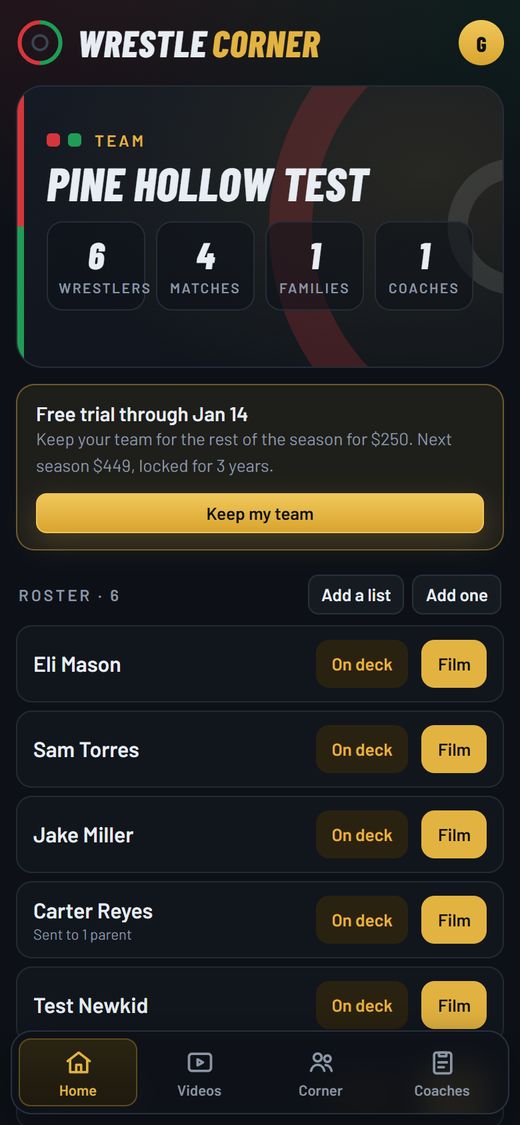
Every wrestler gets On deck and Film buttons right on the home screen.
Send parents one team link
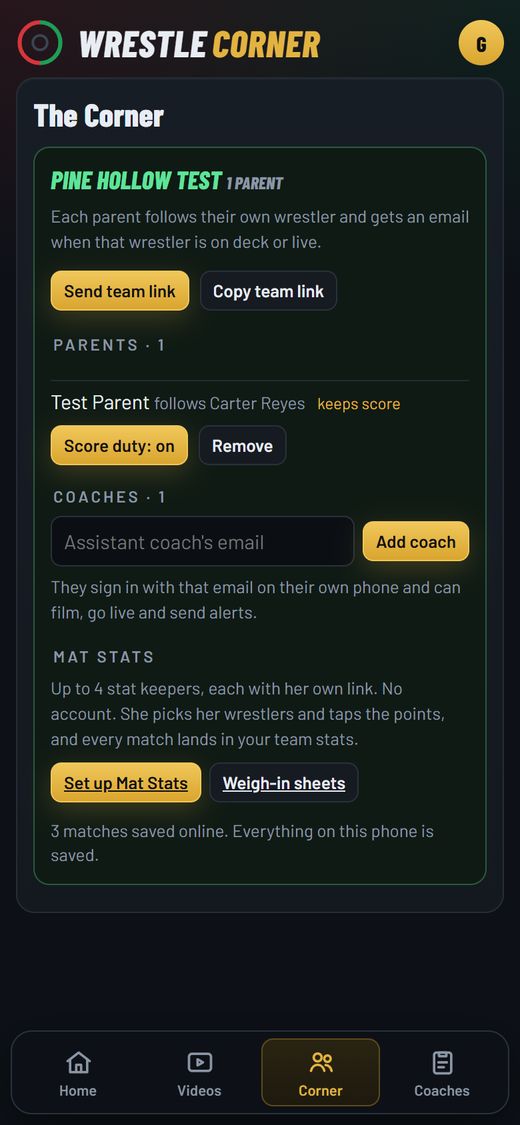
Open the Corner tab and tap Send team link, or copy it into your team group chat. Parents open it, tap their wrestler, and add their name and email. The team link lets them set up their wrestler's Corner Account, where they can watch live, keep every match on film and share it with family who can't make it.
Each family only sees their own wrestler's matches and only gets alerts for their own kid.
Assistant coaches go in the same tab: add them by email and they film, go live and send alerts from their own devices.
Give your stat keepers Mat Stats
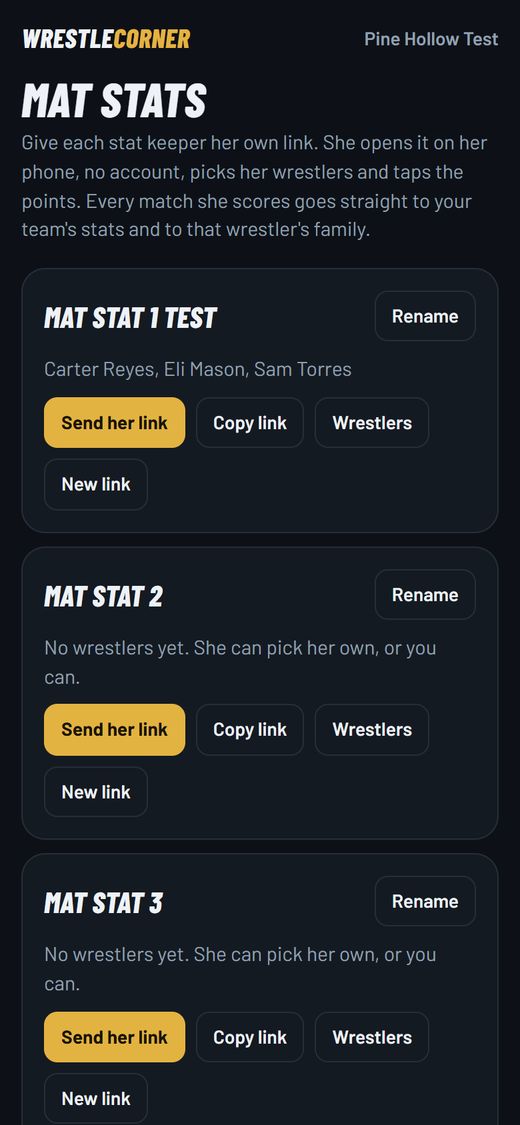
Every team gets Mat Stat 1 to 4, and you can add more. Each one is a link for one stat keeper. No account and no password: she opens it on her device and she's in.
- Corner tab, Set up Mat Stats. Set up each team iPad once (iPad 1, 2, 3, 4): tap Open on this iPad, or tap Scan to open and point another iPad's camera at the code. Any iPad can score any mat.
- She types her first name once and picks her wrestlers. You can change them any time with Wrestlers.
- Every match she does says Stats by Emma, or Filmed and scored by Emma, right where the families see it.
Link shared around? Tap New link and the old one stops working.
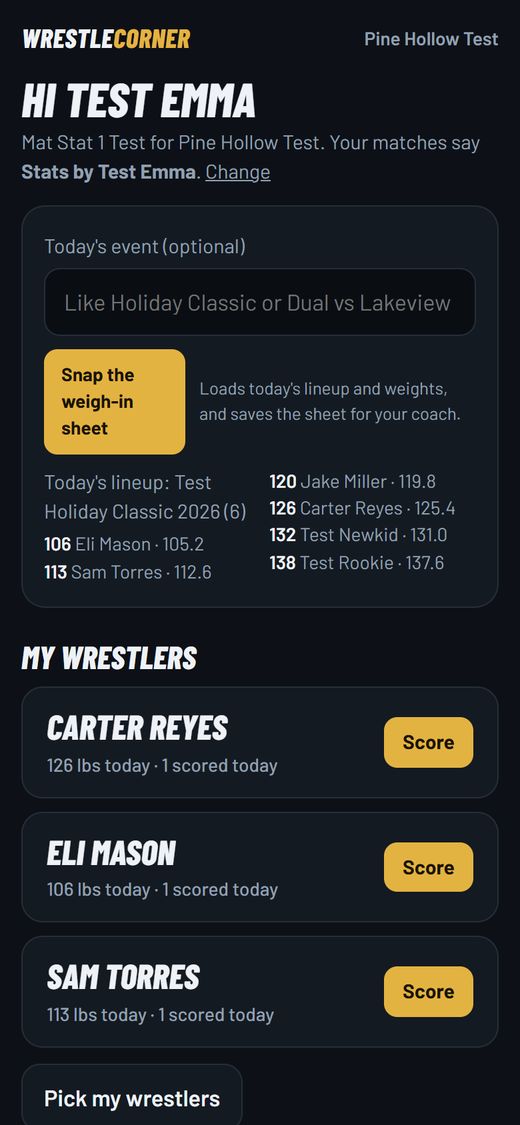
Snap the weigh-in sheet
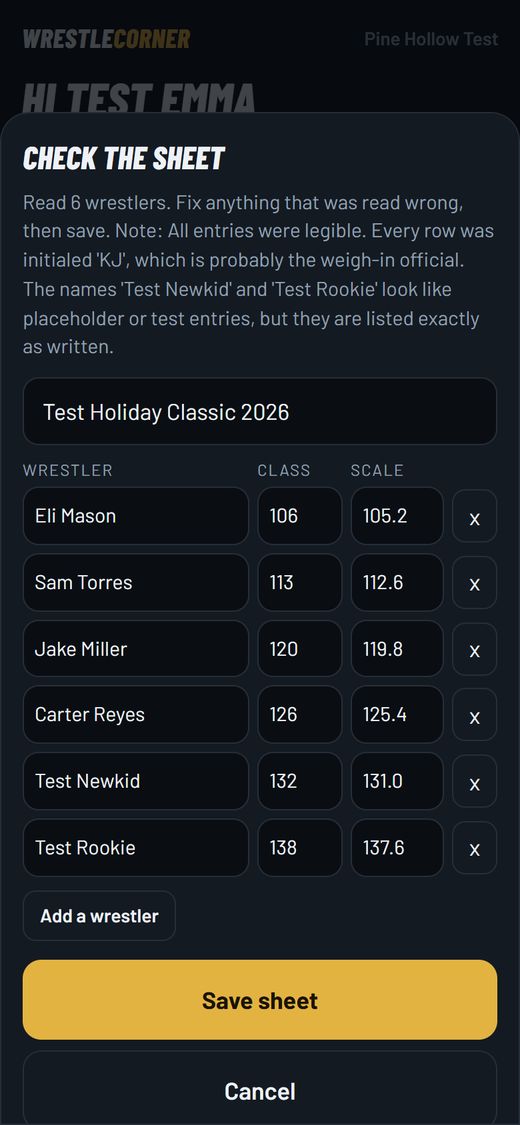
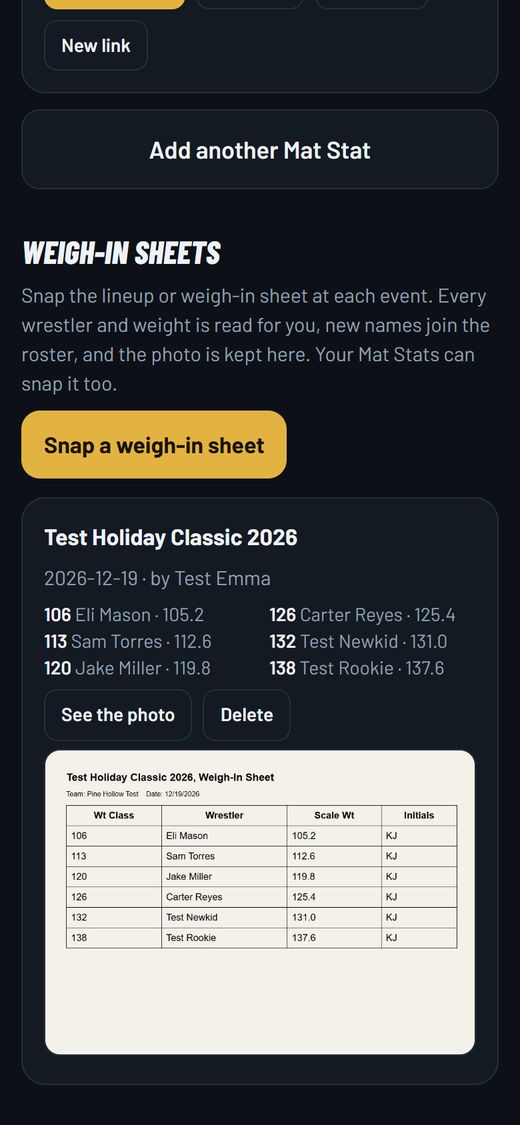
At each event, a coach or a Mat Stat taps Snap the weigh-in sheet. Every wrestler, weight class and scale weight is read off the photo, checked by a person, and saved.
- New names join your roster automatically.
- Your stat keepers see today's lineup, with each wrestler's weight next to their name.
- The sheet and its photo are kept under Weigh-in sheets, by event and date, in case you ever need them.
Film and score a match
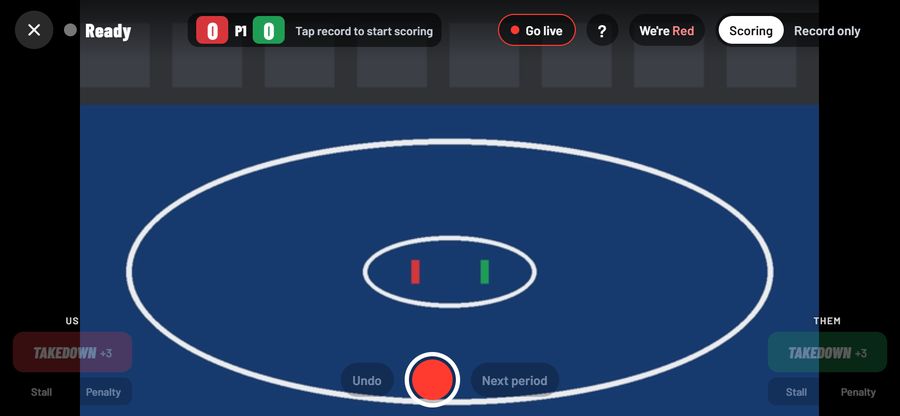
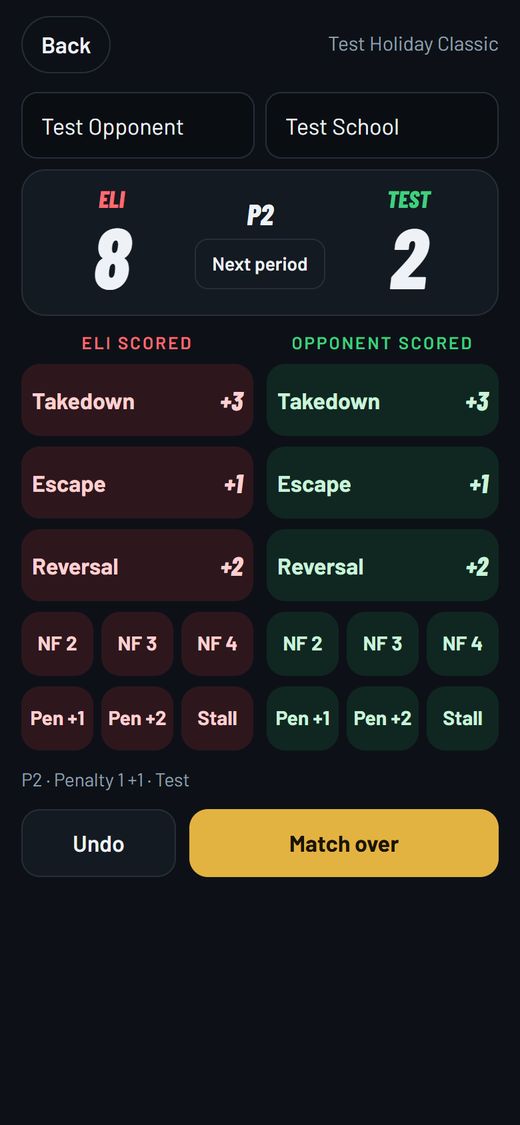
Tap Film next to a wrestler and turn the device sideways. Tap record, then tap the points as they happen. The score keeps itself, and every point is marked at its spot in the video.
Stat keepers get the same thing on their Mat Stat page. For each match they pick Film and score, or Just score when you want a stat book as a double check. At Match over it suggests decision, major or tech fall from the score.
Bad signal in the gym? Keep going. Matches and videos wait on the device and upload on their own.
Go live and assign a scorer
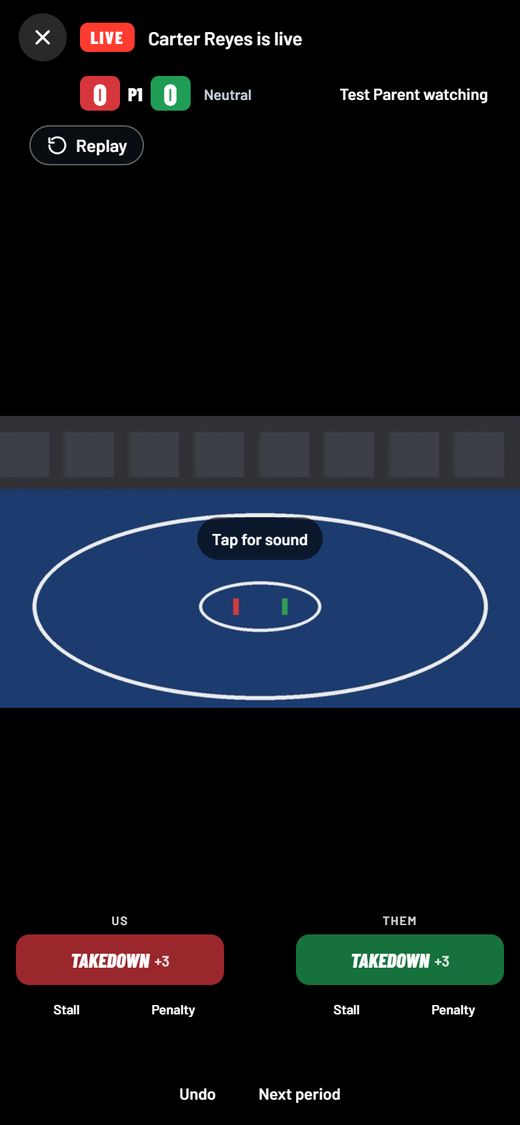
Tap Go live on the filming screen. Families get an alert and watch from any device, tablet or computer, with the score on screen. Nothing is public.
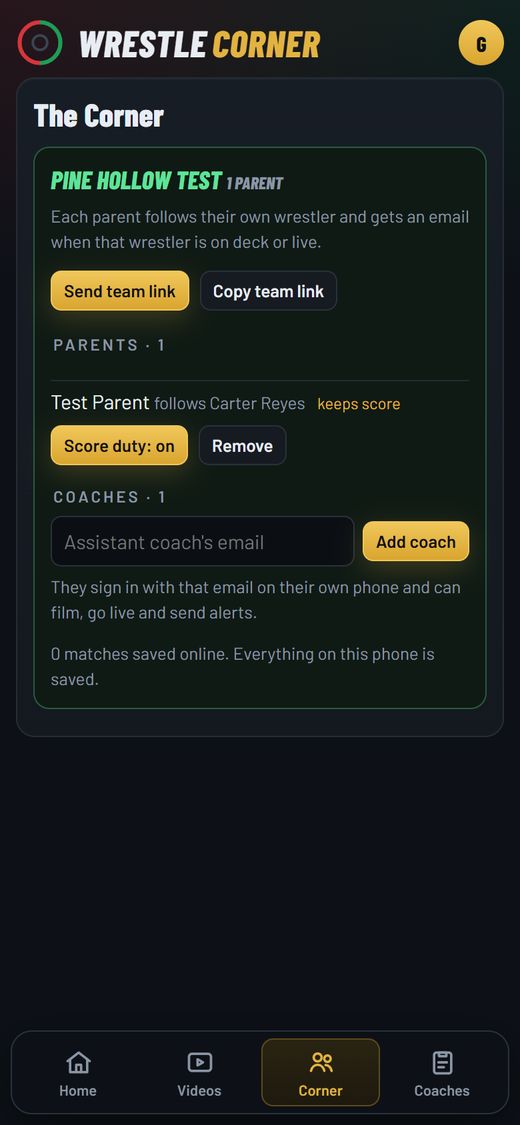
Want your coaches to just coach? In the Corner tab, tap Give score duty next to a parent. When the match goes live, they keep score right from the live screen, from the stands or from home, and the points show up on your filming device in seconds.
On deck alerts
When a wrestler is two bouts out, tap On deck next to their name. Their family gets an email to get to their seats, and only their family. No more missing a match from the concession line.
Team stats that keep themselves
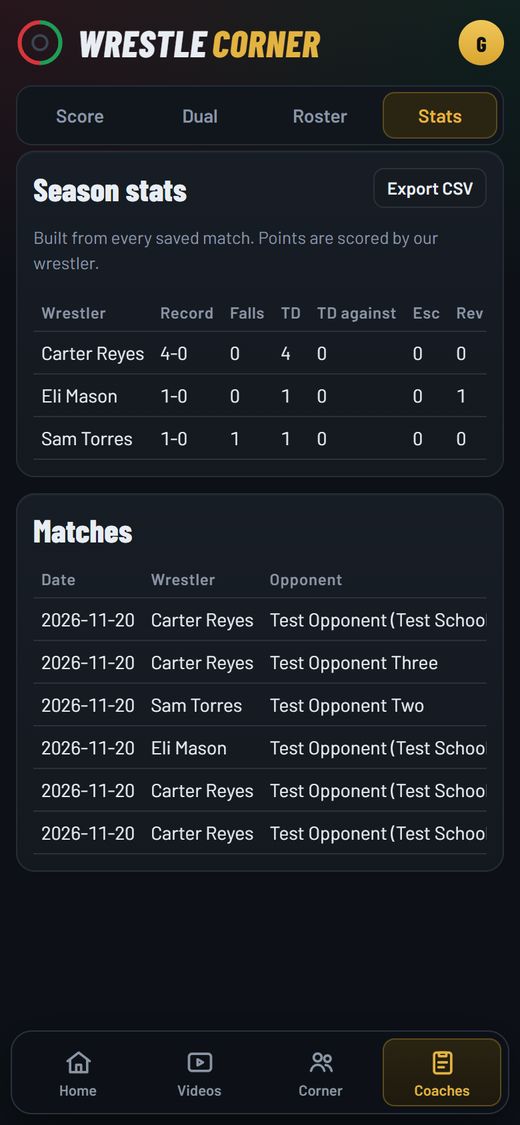
Open Coaches, then Stats. Record, falls, takedowns for and against, escapes, reversals, near fall points and points for and against, for every wrestler.
It counts every match from every device: your coaches, your Mat Stats and score duty. Tap Export CSV to take it into a spreadsheet.
What parents see
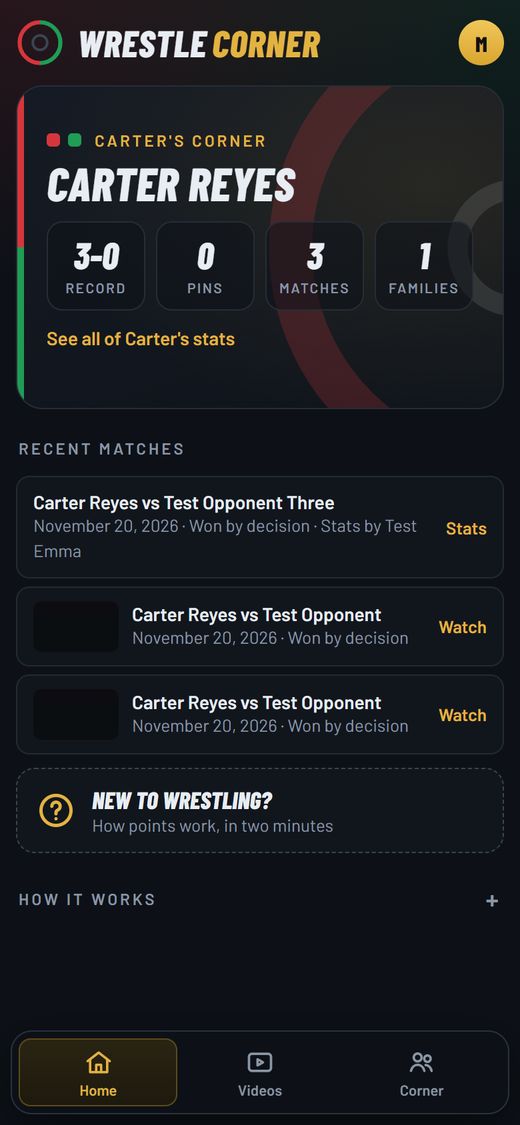
Parents see the record, stats and the team's saved videos. With their wrestler's Corner Account, set up from the team link, they can also watch live, keep every match on film and share it with family who can't make it.
Biddy tournaments: out of bounds
Some youth tournaments send wrestlers back to neutral when they go out of bounds, with no escape. WrestleCorner handles it in one tap.
- Starting the tournament: tap At a tournament?, name it, and check Biddy rule: out of bounds goes back to neutral. Every coach on your team gets it at that tournament.
- While filming: a gold Out of bounds button sits next to Next period. Tap it and they go back to neutral, with no points.
- Forgot to check it, or the sheet started the tournament? While recording, tap the score at the top, then check the box there.
- Tournaments that restart down: leave it off. Nothing changes on the film screen.
Print it, pin it
Game day checklist
- 1Night beforeSend the team link to any new families. Make sure each stat keeper has her Mat Stat link open on her device.
- 2Weigh-insSnap the weigh-in sheet. Today's lineup and weights load for everyone.
- 3At the tableStat keepers pick Film and score for their wrestlers, or Just score for the stat book.
- 4Two bouts outTap On deck so the family gets to their seats.
- 5Big matchGo live. A parent with score duty keeps score while you coach.
- 6Ride homeOpen Coaches, then Stats. Every match from every device is already there.
Try it at your next dual
Free for 30 days, no card. Then $299 the first year, then $449 a year. Each added roster, like Jr. High or Biddy, is $100. Pay by card, or start now and pay by school PO or invoice within 30 days. Want to see it first? Try the demo team, no sign-up.
Start my free month